PHOTO WALKS · 6 min read
Photo walk ideas: 15 themes for your next walk
A photo walk is a walk with a question in your pocket. Pick one of these, step outside, and see how differently a familiar street looks.
Published · Zenbyte
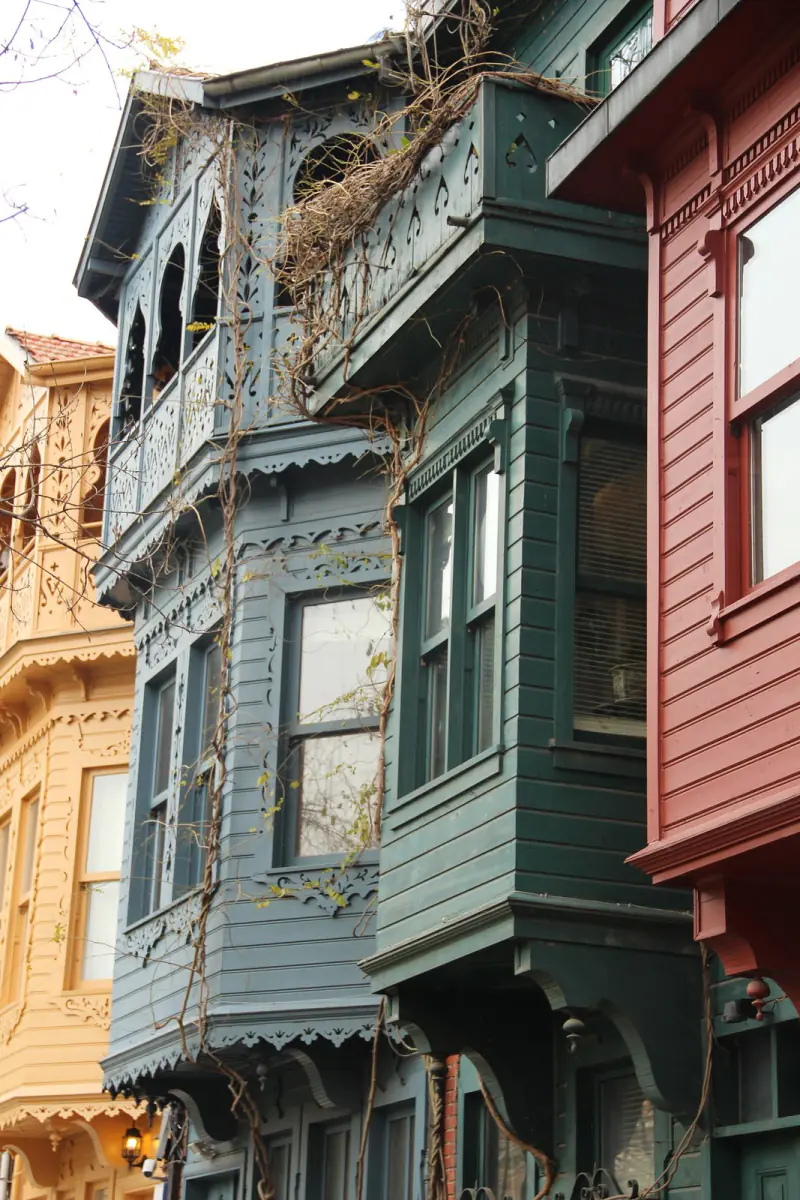
Photo from Wikimedia Commons (CC0): Hamdigumus. Credits
You do not need a big camera or a famous view. A photo walk works anywhere, with a phone, in an hour. The trick is to choose a theme before you leave. A theme slows you down, makes you look up, and turns a random set of pictures into a set that belongs together.
Themes for the streets
- Doors and windows. Collect ten front doors, or every bay window on one street. Shoot them straight on, from the same height, and they make a grid that looks like a poster.
- One colour. Choose a colour before you go (yellow is easy, green is hard) and photograph only that.
- Signs and letters. Old shop signs, painted walls, house numbers. For a bonus round, find the whole alphabet.
- Reflections. Puddles after rain, shop windows, a café's glass, calm water at a pier.
- Look up. Spend a whole walk above the ground floor: cornices, balconies, wires, birds.
- Textures. Cobbles, peeling paint, worn stairs, wood grain. Get close and fill the frame.
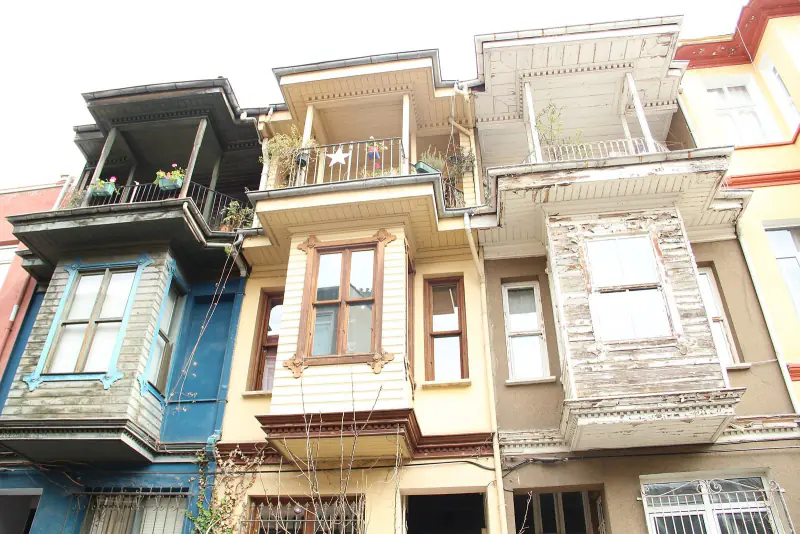
Photo from Wikimedia Commons (CC0): Hamdigumus. Credits
Themes for the light
- First light. The hour after sunrise is quiet and golden. Long shadows give flat streets depth.
- Golden hour by the water. Walk a shoreline as the sun goes down and photograph people in silhouette.
- Blue hour. Just after sunset the sky turns deep blue while the street lights come on. Ten minutes, twice the drama.
- Night walk. Lit windows, neon, a tower against the dark. Brace your phone on a railing for sharp shots.
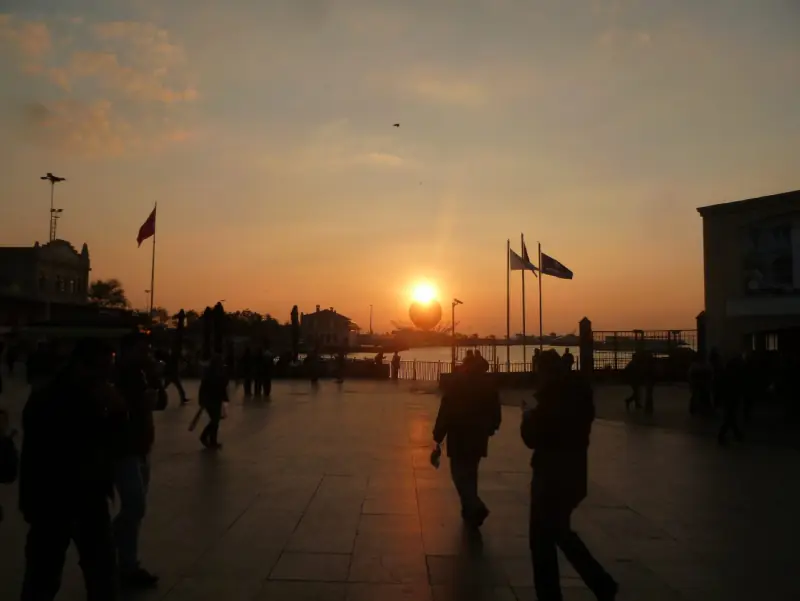
Photo from Wikimedia Commons (CC0): Walter57. Credits
Themes for the story
- A day's food. Breakfast to dinner, one dish or one drink per stop. Markets are a feast of colour.
- Getting around. Ferries, trams, bicycles, the bridge you crossed. Movement tells you where you are.
- Same spot, different hours. Return to one corner at dawn, at noon and at dusk. One place, three moods.
- People at work. The fishmonger, the baker, the man who sells simit. Always ask first, and show them the photo.
- From A to B. One photo every few hundred metres along a single route, like the frames of a film.
How to walk a photo walk
- Walk at half your usual pace. Stop often. Turn around: the best view is often behind you.
- Mind the light. With the sun behind you, colours are rich. Facing it, you get silhouettes and glow.
- Shoot the wide, then the detail. One photo of the whole scene, then one close-up. Together they tell the story.
- Be kind. Respect signs that ask for no photos, especially in places of worship, and never block a pavement for a shot.
Phone habits that make better photos
Most phone photos are lost to small things, not to a lack of talent. A few habits fix most of them:
- Wipe the lens. A phone lives in a pocket. One wipe with a soft cloth removes the haze you would otherwise blame on the weather.
- Turn on the grid. Put the horizon on a line, not through the middle, and keep verticals straight on buildings.
- Tap to focus, then slide the exposure. Bright skies fool the camera. Darken a sunset a touch and the colour comes back.
- Walk closer instead of zooming. Your feet are the best zoom lens, and they keep the picture sharp.
- Use bursts for movement. A ferry leaving, a gull taking off, a cyclist passing. Keep the frame where everything lines up.
Make a set, not a pile
A photo walk ends at the edit. Back home, choose six to twelve photos that belong together and let the rest go. Put them in the order you walked, so the set reads like the route: the start, the surprise in the middle, the last light at the end. If you shot a theme, keep the framing the same across the set. Ten doors photographed the same way say far more than thirty taken any old how.
Then give the set a title. "Kuzguncuk, Sunday morning" is enough. A title turns a folder into a story you will want to open again in a year.
If your theme needs a route, plan it the same way you would plan a tour: a start, a few stops, an ending by the water. Our guide to planning a self-guided walking tour covers distance, pace and timing.
Keep your photos with your walk
Photos from a walk lose half their meaning once they sink into a camera roll between screenshots. Where was that door? Which street came after the market? A travel photo diary keeps the answers.
That is what forWalking is made for. You record a walk, take photos on the way, and each one is pinned to the exact spot where you took it, as a print on the map. The trail report lines them up on a timeline with their times. Your journal can show your days as a photo diary, and the Memories widget plays them back as a slideshow on your home screen.
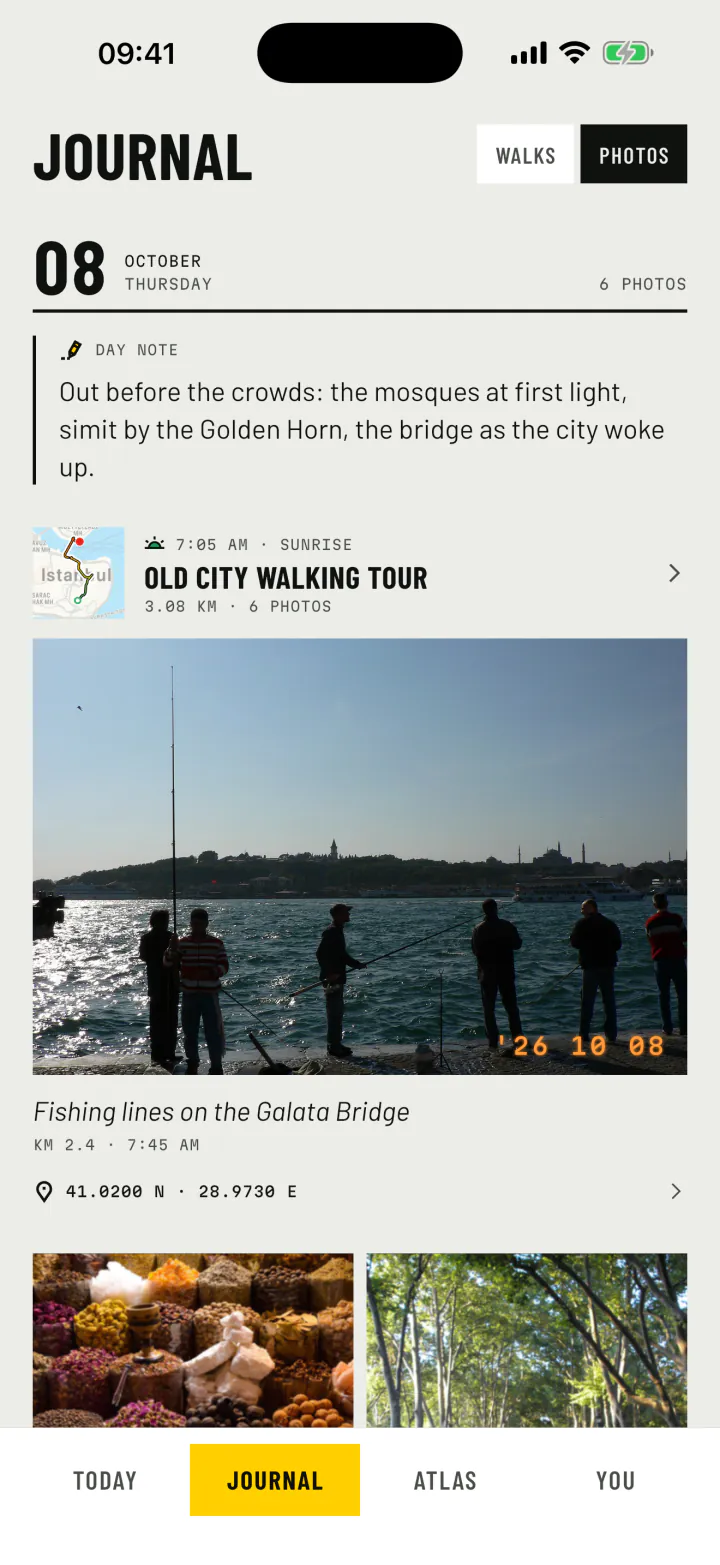
Give each photo a caption, replay the walk and watch the photos appear where they were taken, or export the replay as a video in 9:16, 3:4, 1:1 or 16:9, with music. Photos with walking, kept the way you lived them.
Photos on the mapHow photo walks work in forWalkingStart this weekend
Pick one theme from the list. Pick one neighbourhood. Give yourself an hour. If you want a ready-made route, our Istanbul old city walk has six photo stops, from the Blue Mosque at first light to the fishing lines on the Galata Bridge.


forWalking: Tours Map Photos iPhone and Android