Support
How can we help?
Answers to the questions walkers ask most. If yours is not here, write to us. A real person reads every message.
[email protected]We read every message and reply in English or Turkish.
Recording in the background
Does forWalking keep recording with the screen locked?
Yes. Once a walk has started, the recorder runs in the phone itself, not only in the app on screen. You can lock the phone, switch apps or play music, and the walk goes on. If the system closes the app during a walk, forWalking picks it up again with everything that was saved when you come back.
What should I allow before my first walk?
Before you set off, the app shows a short readiness check. Each item that is ready gets a tick:
- Location, so the route can be drawn.
- Precise location. With approximate location a route cannot be drawn.
- Notifications, so you can see and pause the walk from the lock screen.
- Step counting (Motion and Fitness on iPhone, Physical activity on Android). Without it, steps are estimated from distance.
- Battery optimisation, on Android only (see below).
You can open the same check any time in Settings, under Walk recording.
On iPhone, the route stopped while the phone was in my pocket. Why?
Open Settings, Privacy and Security, Location Services, forWalking. Location should be While Using the App or Always, and Precise Location should be on. If the phone would not let the walk record in the background, forWalking tells you so: open the walk and it carries on from where you are.
Can I pause a walk?
Yes, from the walk screen, from the notification, or on iPhone from the Live Activity on the lock screen. A pause shows as a hatched stretch on the timeline and stays out of your moving time.
I took a bus or a ferry during my walk. Does that count?
No. forWalking recognises stretches by car, ferry and plane, as well as cycling and running. Rides stay on your map and timeline but never count as walking. You can also set a stretch yourself on the live walk or in the trail report, for example bus, train, e-scooter or horse.
Battery and Android settings
How do I stop Android from closing forWalking during a walk?
Some Android phones stop background apps to save power, which can cut a walk short. In the readiness check, tap Turn on next to Battery optimisation and allow forWalking to run without restrictions. On some brands there is one more switch:
- Samsung: Settings, Battery, Background usage limits: make sure forWalking is not in Sleeping or Deep sleeping apps.
- Xiaomi, Redmi, POCO: App info, Battery saver: No restrictions. Also allow Autostart.
- Huawei, Honor: Battery, App launch: set forWalking to Manage manually and allow running in the background.
- OnePlus, OPPO, realme: App info, Battery: Allow background activity.
How much battery does a walk use?
Most of a phone's battery goes to its screen. A walk recorded with the screen locked uses far less than one with the map open the whole time. For long hikes, start with a full charge, keep the screen off between photos, and carry a power bank on full days.
Will alerts stop my music or podcast?
No. Distance alerts play a short chime that lowers your audio for a moment instead of stopping it.
Photos
How does a photo end up on the map?
Take it with the yellow camera button during a walk. forWalking pins it to the place where you took it, using your location at that moment, and shows it as a print on the map with the time in its corner.
Can I use my phone's own camera, or add photos from my gallery?
Yes. Choose the phone's camera in Settings, or long press the camera button. Photos from your gallery can be added to a walk too: forWalking places them on the route by the time they were taken. If a photo lands in the wrong place, open it and move it on the map.
Where are my photos stored?
On your phone. Deleting a memory removes the photo from the walk and from your device. When you share a photo, you can send it as the original file, as your camera saved it.
How do I share where a photo was taken?
Open the photo and choose Share location. You can send its coordinates with a Google Maps link, or open the place in Apple Maps or Google Maps. In Settings you can pick which maps your shared links use.
Widgets and Live Activity
Which widgets are there?
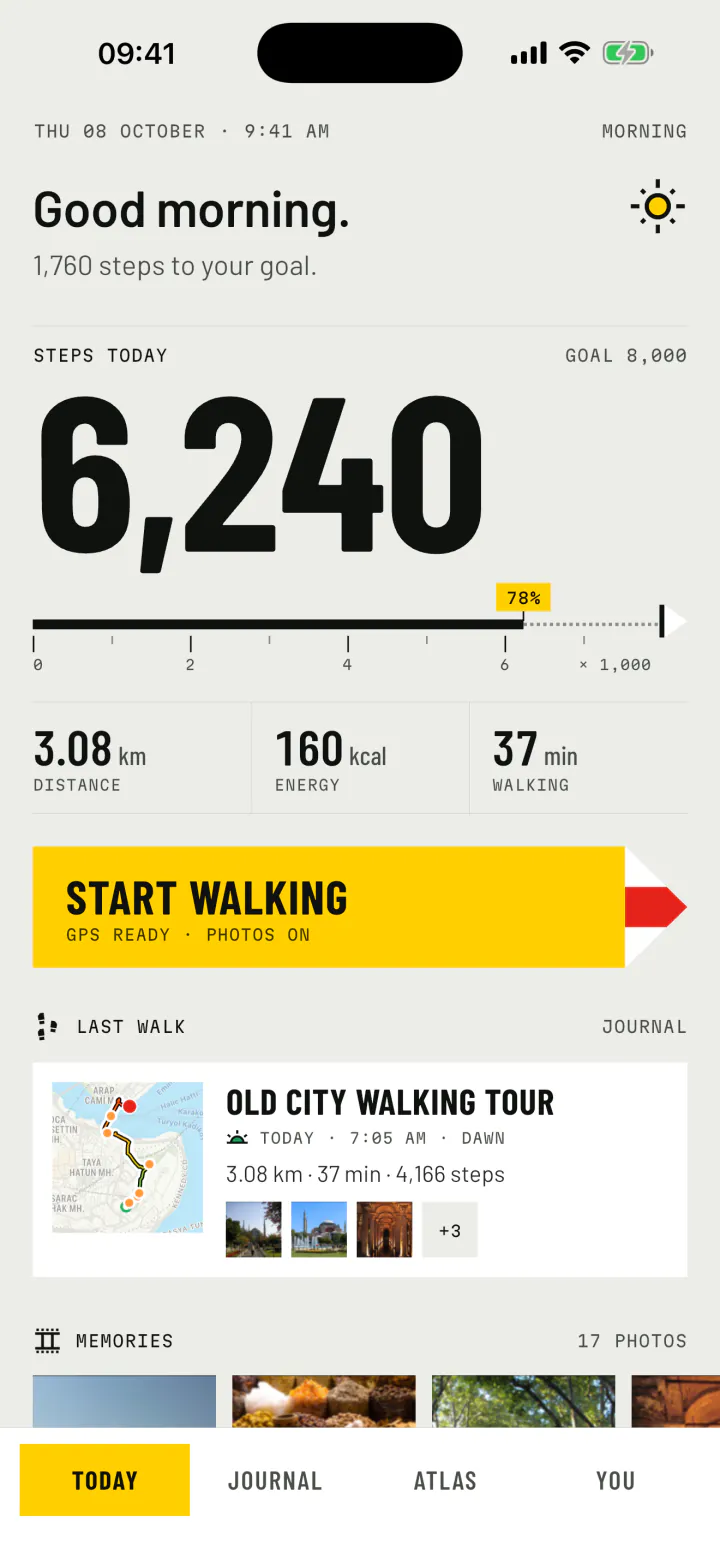
Memories, a slideshow of the photos from your walks. Today, with your steps against your goal and the walk while one is running. Last walk, with its route on the map and its numbers. This week, with every route of the week on one map. On iPhone there are also lock screen widgets and a Live Activity during walks.
How do I add a widget?
On iPhone, touch and hold an empty part of the home screen, tap Edit, then Add Widget, and search for forWalking. On Android, touch and hold the home screen, tap Widgets, and find forWalking in the list.
The widget looks out of date. What can I do?
Widgets refresh when forWalking has something new to show, such as a finished walk or a new photo. Opening the app once refreshes them straight away.
Your data
Do I need an account?
No. There is no account and no sign in. Your walks, routes, photos and notes are stored on your phone.
What does forWalking send?
While "Share anonymous usage data" is on, the app sends counts such as walks finished and screens opened, and crash reports, to help us improve it. Never your routes, places, photos or notes. You can switch it off in Settings at any time. Read the Privacy Policy for the details.
Can I export my walks?
Yes. From a walk, export the route as GPX (for Komoot, Strava, Google My Maps and watches) or KML (for Google Earth and My Maps), share it as directions through its photo points, or as a card or a video.
How do I delete my data?
Delete a single walk from its trail report, or a single photo from the memory viewer. To remove everything, use the reset option in Settings: it permanently deletes all walks, routes and photos. Uninstalling the app also removes its data from your phone.
What happens if I change phones?
Your walks are stored on your phone, not in a cloud of ours, so there is no account to sign in to on the new one. Before you switch, export the walks you want to keep as GPX, and share the photos you want to keep to your gallery.
Contact
Write to us
Tell us what happened, which phone you use and its system version. A screenshot helps. We answer in English or Turkish.